
Guide for business owners
How to list your business on Afrikta
Choose a plan, add your details and photos, and let customers across Africa find you in English and French. Here is every step, from sign-up to going live.
See the stepsWhy list your business on Afrikta
Customers search online before they call, visit or buy. A listing on Afrikta puts your business, your photos and your contact details in one place where they can find you.
Before you start: what to prepare
Gather these first and the whole process goes much faster.
- Your business name, category and a short description
- Your founding year, size, working days and business hours
- Your country, city and full address
- Your phone, email, website and WhatsApp number (with country code, digits only)
- Up to 5 clear photos: logo, storefront, products or services (at least 1 is required)
- A YouTube or Vimeo link, if you have a video
Choose your plan
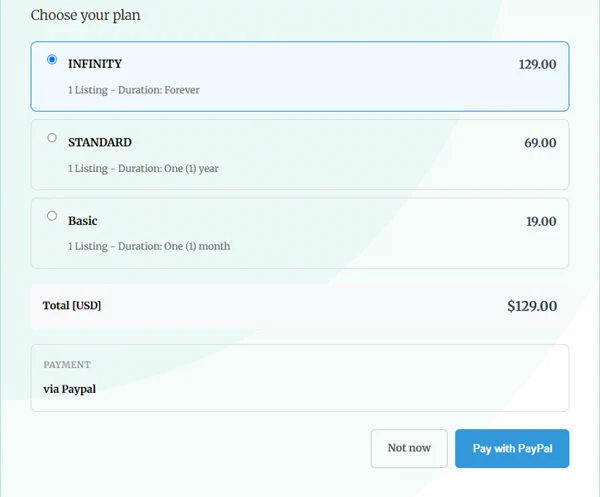
Pick the length of presence that suits your business. Every plan gives you a complete listing.
Basic
A good way to try Afrikta or to support a short campaign.
Standard
Steady visibility for a full year, with one payment.
Infinity
Pay once and stay listed. Adds custom listing badges and a feature in articles, where your listing card appears after relevant posts.
How to list your business, step by step
Five steps take you from sign-up to a live listing.
-
Create your account and verify your email
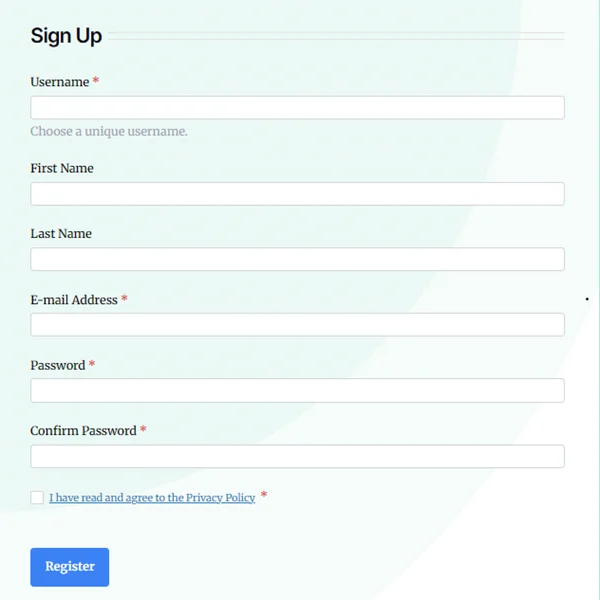
Fill in the sign-up form, then verify your email address. You cannot log in until your email is verified.
Sign up

The sign-up form. - 1Fill in the form. Username, email address and both password fields are required.
- 2Tick the box to accept the privacy policy.
- 3Click Register.
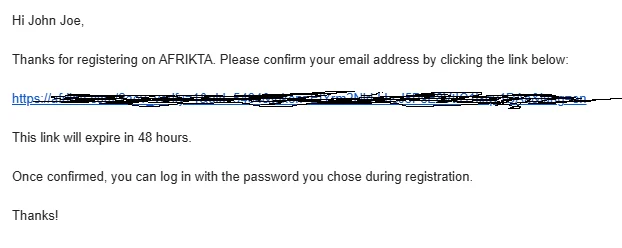
Verify your email
Afrikta sends you an email titled “Please confirm your email address”.
-
Choose your plan and pay
Once you are logged in, you land on the payment screen. Your payment receipt is available in your account afterwards. Paying first takes you straight to the listing form, with no waiting.
-
Fill in your business listing details
This is the most important step. The form is long, so we go through it in three parts. Each part shows the screen and what to fill in. A complete listing gets more enquiries.
Tip: Some fields change with your category. For example, a construction business sees “Area(s) of Expertise”, while a manufacturer sees “Certifications”. This is normal.Click any screenshot to open it full size.
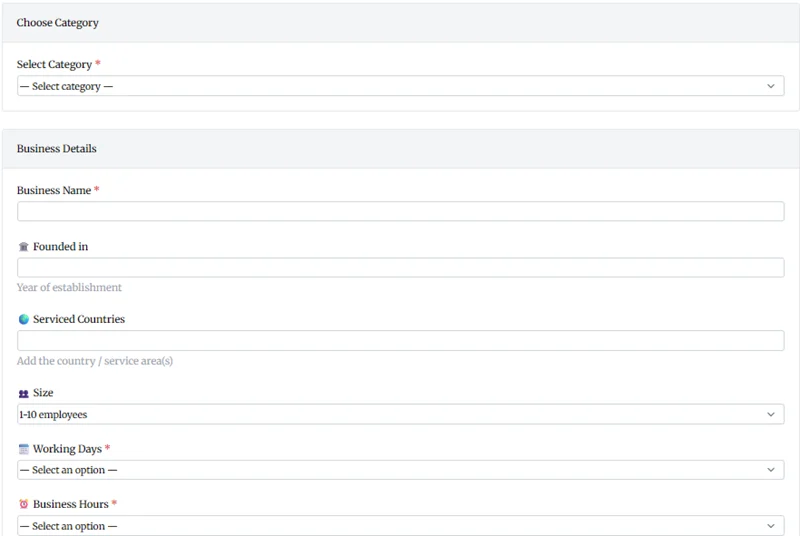
Part 1: category and business details
Category and business details. - 1CategoryRequiredChoose the closest match so customers browsing that category find you.
- 2Business nameRequiredUse your business name as customers know it.
- Founded inThe year your business was established.
- Serviced countriesThe countries or areas you serve.
- SizeThe number of employees.
- 3Working days and business hoursRequiredTell customers when you are available.
Part 2: description and contact details
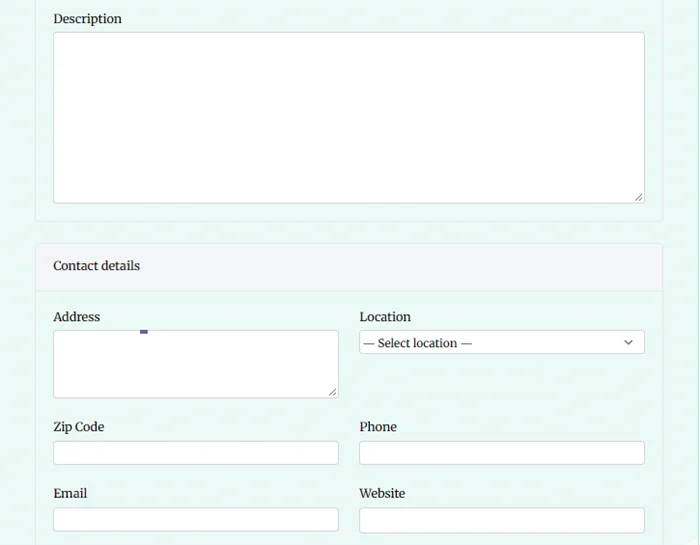
Description and contact details. - 1DescriptionSay what you offer, who you serve, what makes you different and how to reach you.
- 2Address, location and zip codeAdd your full address and select your location from the list.
- 3Phone, email and websiteThe ways customers can contact you.
How to write a description that gets found
- Mention your main service and your city in the first two sentences.
- Use the words customers actually search for.
- Keep paragraphs short, and do not copy text from your website word for word.
- Include delivery areas, languages spoken and anything that sets you apart.
Part 3: photos, video and WhatsApp
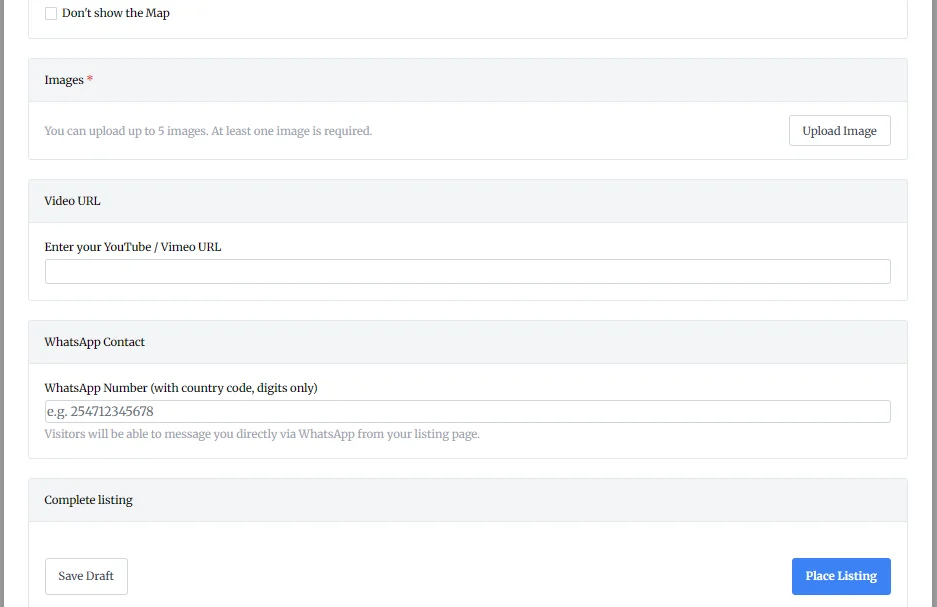
Photos, video and WhatsApp. - 1ImagesRequiredUpload at least 1 and up to 5 sharp, well-lit photos. Put your best one first.
- 2Video URLPaste a YouTube or Vimeo link. You cannot upload a video file here.
- 3WhatsApp numberEnter it with the country code, digits only, for example 254712345678. Visitors can then message you directly from your listing page.
- 4Place ListingWhen everything is filled in, click this button. See Step 4.
-
Review and publish
Check every field once, especially phone numbers and spelling. Then click Place Listing at the bottom of the form. Your listing goes live and appears under its category and country.
What customers see first

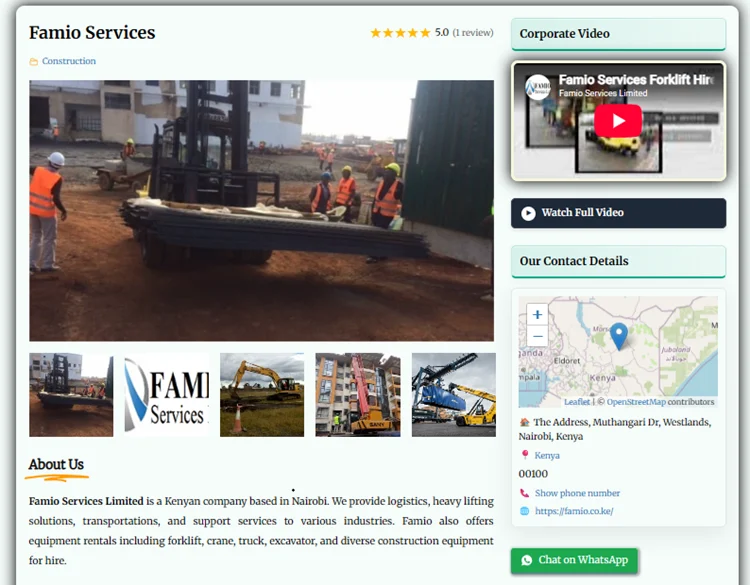
The top of a published listing. - 1Your photos. The first one becomes the main image.
- 2Your video, if you added a YouTube or Vimeo link.
- 3Your address, location, phone and website.
- 4A WhatsApp button, if you entered a number.
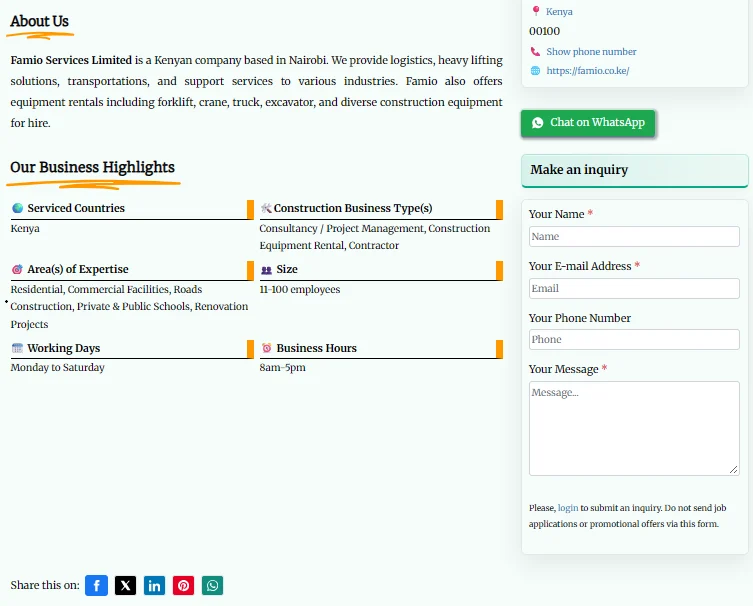
What they see further down
-
Manage and improve your listing
After publishing, log in to your account to edit details, replace photos or update contact information at any time.
Grow your listing after it goes live
Common questions
How long does it take to list a business?
Once your photos and details are ready, most people finish in about 15 minutes.
Can I list in French and English?
Yes. Afrikta is bilingual, and you can provide your description in both languages.
Can I change my listing after publishing?
Yes. Log in and edit it at any time from your account.
What if I did not receive the verification email?
Check your spam folder first, then click “Resend it” in the message shown on the login page.
Ready to get listed?
Choose your plan, add your details and let customers across Africa find your business.